JohnLyu的blog

橙汁事务所艾欧泽亚分部

0%

访问控制列表

实验记录

网络初始构造

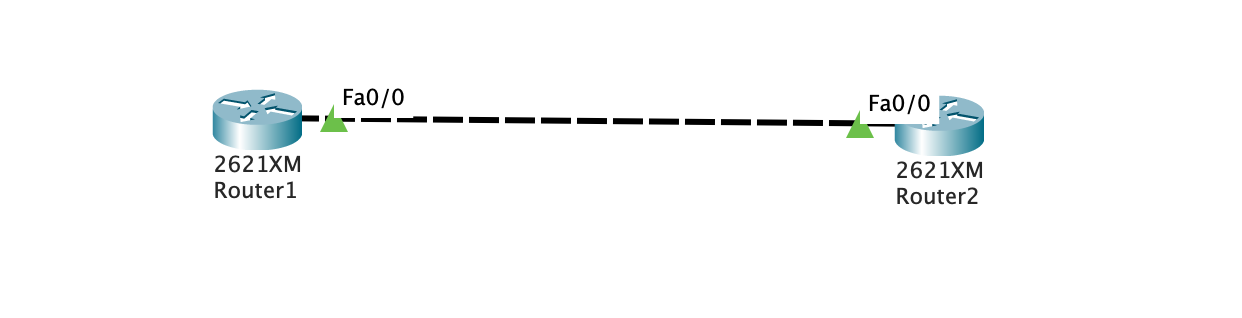
拖出两个路由器并连接

image-20201118233430497

路由器初始配置

r1

1
2
3
4
5
6
7
8
9
10
Router>enable
Router#
Router#configure terminal
Enter configuration commands, one per line. End with CNTL/Z.
Router(config)#interface FastEthernet0/0
Router(config-if)#ip address 10.0.0.1 255.0.0.0
Router(config-if)#
Router(config-if)#exit
Router(config)#interface FastEthernet0/0
Router(config-if)#no shutdown

r2

1
2
3
4
5
6
7
8
9
10
Router>enable
Router#
Router#configure terminal
Enter configuration commands, one per line. End with CNTL/Z.
Router(config)#interface FastEthernet0/0
Router(config-if)#ip address 10.0.0.2 255.0.0.0
Router(config-if)#
Router(config-if)#exit
Router(config)#interface FastEthernet0/0
Router(config-if)#no shutdown

测试连通性

r1 ping r2

1
2
3
4
5
6
Router#ping 10.0.0.2

Type escape sequence to abort.
Sending 5, 100-byte ICMP Echos to 10.0.0.2, timeout is 2 seconds:
!!!!!
Success rate is 100 percent (5/5), round-trip min/avg/max = 0/3/19 ms

r2 ping r1

1
2
3
4
5
6
Router#ping 10.0.0.1

Type escape sequence to abort.
Sending 5, 100-byte ICMP Echos to 10.0.0.1, timeout is 2 seconds:
!!!!!
Success rate is 100 percent (5/5), round-trip min/avg/max = 0/0/0 ms

创建和部署 ACL,并验证实验效果

在r1上:

1
2
3
Router(config)access-list 100 deny icmp 10.0.0.1 0.0.0.0 10.0.0.2 0.0.0.0
Router(config)#interface f0/0
Router(config-if)#ip access-group 100 out

部署完成后依旧可以正常ping

在r2上:

1
2
3
Router(config)access-list 100 deny icmp 10.0.0.1 0.0.0.0 10.0.0.2 0.0.0.0
Router(config)#interface f0/0
Router(config-if)#ip access-group 100 in

部署完成后从PC1 ping PC2:

1
2
3
4
5
6
Router#ping 10.0.0.2

Type escape sequence to abort.
Sending 5, 100-byte ICMP Echos to 10.0.0.2, timeout is 2 seconds:
.....
Success rate is 0 percent (0/5)

从PC2 ping PC1:

1
2
3
4
5
6
Router#ping 10.0.0.1

Type escape sequence to abort.
Sending 5, 100-byte ICMP Echos to 10.0.0.1, timeout is 2 seconds:
UUUUU
Success rate is 0 percent (0/5)

均不能成功

观察packet tracer的模拟发现

在pc1 ping pc2的过程中ICMP包顺利到达pc2, pc2发了回应包, 但是pc1拒绝了这些包. 因此PC1上的ping进程会一直等待到timeout.

在pc2 ping pc1的过程中, pc1立刻返回了一个error(meassage type 3), PC2会立刻记录一个U, 并没有等待的过程.

telnet实验

清除原有的access list

1
2
3
4
5
6
7
8
9
10
Router#show ip access-lists
Extended IP access list 100
10 deny icmp host 10.0.0.1 host 10.0.0.2

Router#conf t
Enter configuration commands, one per line. End with CNTL/Z.
Router(config)#no ip access-list extended 100

Router#show ip access-lists
Router#

然后导出running-config, 重启路由器, 导入.
因为不知道为什么, 直接no掉access-list和access-group均不能恢复访问.

配置针对Telnet的ACL

先配置R2上的登陆环境:

1
2
3
4
Router(config)#enable secret network
Router(config)#line vty 0 4
Router(config-line)#password cisco
Router(config-line)#login

四行的作用分别是, 配置本地特权密码为network, 开启一个允许远程登录的线路, 容量为5(0-4), 设置line的登录密码为cisco, 允许远程登录.

在R1上测试登录R2:

第一次输入cisco, 第二次输入network.

1
2
3
4
5
6
7
8
9
10
Router#telnet 10.0.0.2
Trying 10.0.0.2 ...Open


User Access Verification

Password:
Router>en
Password:
Router#

配置ACL

在R2上:

1
2
3
4
Router(config)#access-list 101 deny tcp host 10.0.0.1 10.0.0.2 0.0.0.0 eq telnet
Router(config)#access-list 101 permit ip any any
Router(config)#int fa 0/0
Router(config-if)#ip access-group 101 in
注意 access-list的语法为:

1
2
3
4
access-list access-list-number [dynamic dynamic-name [timeout minutes]]
{deny | permit} tcp source source-wildcard [operator [port]] destination destination-wildcard [operator [port]]
[established] [precedence precedence] [tos tos] [log | log-input]
[time-range time-range-name][fragments]

针对上面的语句, host 10.0.0.1表示从10.0.0.1来的数据包, 10.0.0.2 0.0.0.0表示到10.0.0.2的数据包, 其中0.0.0.0是wildcard, 这条语句其实等同于host 10.0.0.2, eq telnet部分表示端口, eq后面的telnet的alias, 等同于eq 23.

验证ACL效果

1
2
3
Router>telnet 10.0.0.2
Trying 10.0.0.2 ...
% Connection timed out; remote host not responding

Telnet确实非常成功的阻断了

1
2
3
4
5
6
Router>ping 10.0.0.2

Type escape sequence to abort.
Sending 5, 100-byte ICMP Echos to 10.0.0.2, timeout is 2 seconds:
!!!!!
Success rate is 100 percent (5/5), round-trip min/avg/max = 0/3/19 ms

而ICMP可以通行.

注意, access-list中必须添加access-list 101 permit ip any any.

否则, ping命令也被阻断了, type 3, code 0x0d.

小结

为什么no掉access list无法恢复规则?

为什么必须添加access-list 101 permit ip any any?, access list的默认规则必须手动输入吗?